Our Mission
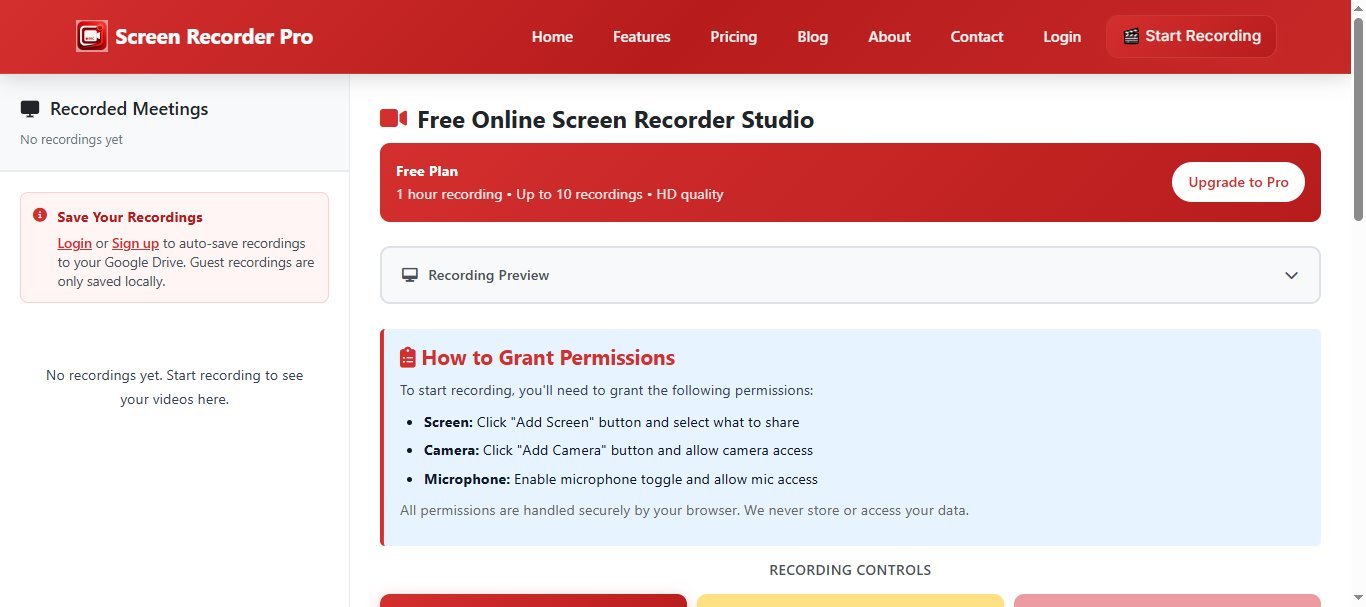
Screen Recorder Pro is a browser-based screen recording tool designed to help users create professional screen recordings without installing software. Our platform enables educators, developers, content creators, and professionals to capture their screen, webcam, and audio for tutorials, presentations, and documentation.
We focus on providing a reliable, easy-to-use recording experience that works directly in your web browser. All recordings are processed locally in your browser for privacy and security.
Why We Built Screen Recorder Pro
Most screen recorders ask you to download an installer, create an account before you can press record, or stamp a watermark across everything you capture on the free tier. For a student trying to submit a video assignment, a teacher recording a quick walkthrough, or a creator on a modest laptop, those barriers add up fast. We thought screen recording should be the opposite of that: instant, private, and genuinely free.
Screen Recorder Pro started from a simple belief — that capturing your screen is a basic, everyday task that everyone deserves access to, regardless of budget or hardware. Because the recorder runs entirely in your browser using standard web technology, there is nothing to install and nothing to update. It works on lower-spec PCs and Chromebooks where heavy desktop software would struggle, and it never holds your footage hostage behind a paywall or an ugly logo.
That same philosophy shapes everything we ship. You can read more about how the recorder works and pick up practical recording tips in our guides and tutorials, or explore the full toolkit on our features page.
Who Is Behind Screen Recorder Pro
Muhammad Shoaib
Founder
"Ten years building browser-based media tools, focused on making screen recording fast and private for everyone." Muhammad has spent the past decade working on web applications that capture, process, and play media directly in the browser, long before doing so without a desktop app became practical.
He started Screen Recorder Pro after watching too many people give up on simple recording tasks because the available tools were slow, expensive, or invasive. His goal is straightforward: a recorder that respects your time, your privacy, and your hardware. He still reviews user feedback personally and uses it to guide what the team builds next.
What Makes Us Different
Privacy-First by Design
Your recording is processed locally in your browser. Your footage is not uploaded to our servers when you record and download — it stays on your device until you decide to share it.
No Watermark
Free does not mean branded. We do not stamp a watermark across your recordings on the free tier, so what you capture is yours to use as-is.
Works on Low-End PCs
Because everything runs in the browser, there is no heavy background app draining your machine. It performs smoothly on older laptops and Chromebooks.
Nothing to Download
No installers, no setup wizard, no admin permissions. Open the page, grant the recording prompt, and you are ready to capture in seconds.
Our Commitment
These are the principles we hold ourselves to as we build and maintain Screen Recorder Pro:
- Privacy. Local-first recording, no surprise uploads, and no selling of your data.
- Accessibility. Free, no-install access that works across browsers, devices, and modest hardware.
- Transparency. Clear, honest descriptions of what each plan does and how your recordings are handled.
- No dark patterns. No hidden charges, no fake countdowns, and no tricks to make you pay for something you did not intend to buy.
What We Offer
Professional Recording
Record your screen, webcam, and audio in stunning quality up to 4K resolution. Perfect for creating professional content that stands out.
Easy to Use
No downloads or complex setup required. Start recording in seconds with our intuitive, browser-based interface that works on any device.
Flexible Customization
Customize your recordings with camera overlays, multiple formats, quality settings, and positioning controls to match your style.
Local Processing
All recordings are processed and stored locally in your browser. Your content stays private and secure on your device until you choose to download it.
For Everyone
From free users to professional creators, we offer plans that fit every need and budget. Start free and upgrade when you're ready.
Great Support
Our team is dedicated to helping you succeed. Get priority support, detailed guides, and responsive customer service when you need it.
Our Values
User-Centric
We put our users first. Every feature we build and every decision we make is guided by what's best for our community.
Privacy First
Your privacy matters. We protect your data, respect your recordings, and never share your content without your permission.
Quality Focus
We're committed to delivering the highest quality recording experience, with constant improvements and cutting-edge technology.
Who We Serve
Educators
Create engaging online courses, tutorials, and educational content that helps students learn effectively.
Developers
Record bug reports, code walkthroughs, and technical demonstrations with precision and clarity.
Professionals
Record meetings, presentations, training sessions, and business communications professionally.
Content Creators
Stream gameplay, create YouTube videos, build social media content, and grow your audience.
Marketers
Create product demos, sales videos, marketing content, and customer testimonials that convert.
Teams
Collaborate effectively with team members by sharing screen recordings, feedback, and documentation.
Ready to Get Started?
Start recording your screen, webcam, and audio today. No installation required - works directly in your browser.
Have Questions?
We'd love to hear from you. Reach out to our team for support, feedback, or partnership inquiries — we read every message and reply personally.
Visit our contact page or email us directly at support@screenrecorderpro.com.
Contact Us